 Bible for Me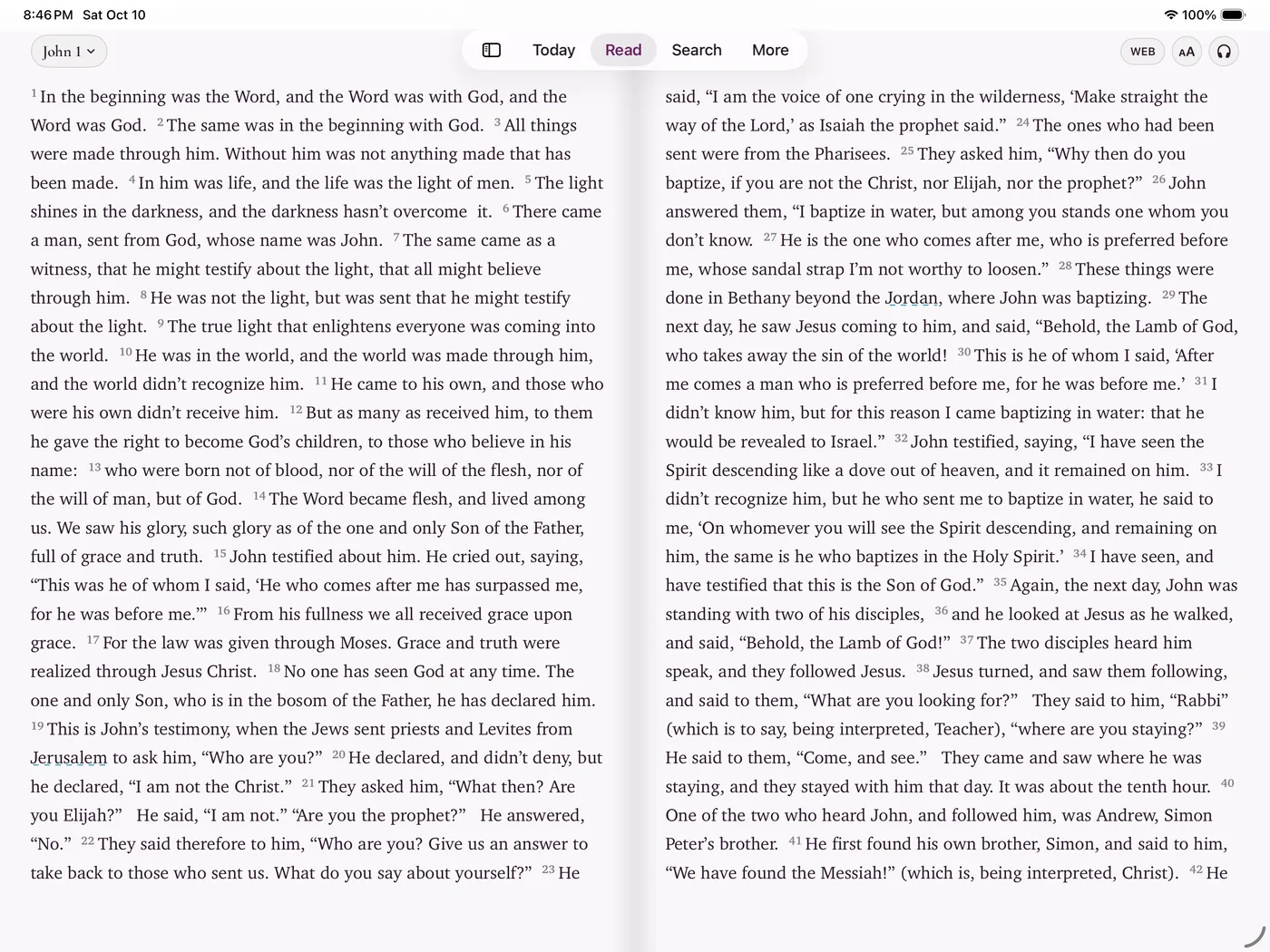
Until October 2026, Bible for Me was built only for iPhone. Version 1.7.0 made it a universal app. On iPad, the text sits in a column you can read without turning your head, Today spreads into two columns, and the reader, Study, and player share the screen instead of taking turns.
Turn it sideways and read it like a book
Set the reader to page turns and hold your iPad in landscape. The chapter opens as a two-page spread with a spine down the middle, and pages turn with the same paper-like curl as on iPhone. Turn the iPad back to portrait and you get a single page with a comfortable line length. Your theme, text size, and place in the chapter come with you.
- Open Bible for Me on your iPad.
- Go to More › Settings and set Page style to Page turn.
- Turn the iPad to landscape and open any chapter. Swipe or tap the edge to turn the page.
The two-page spread is free for everyone. It isn't part of the Plus upgrade.
Study and listen without leaving the chapter
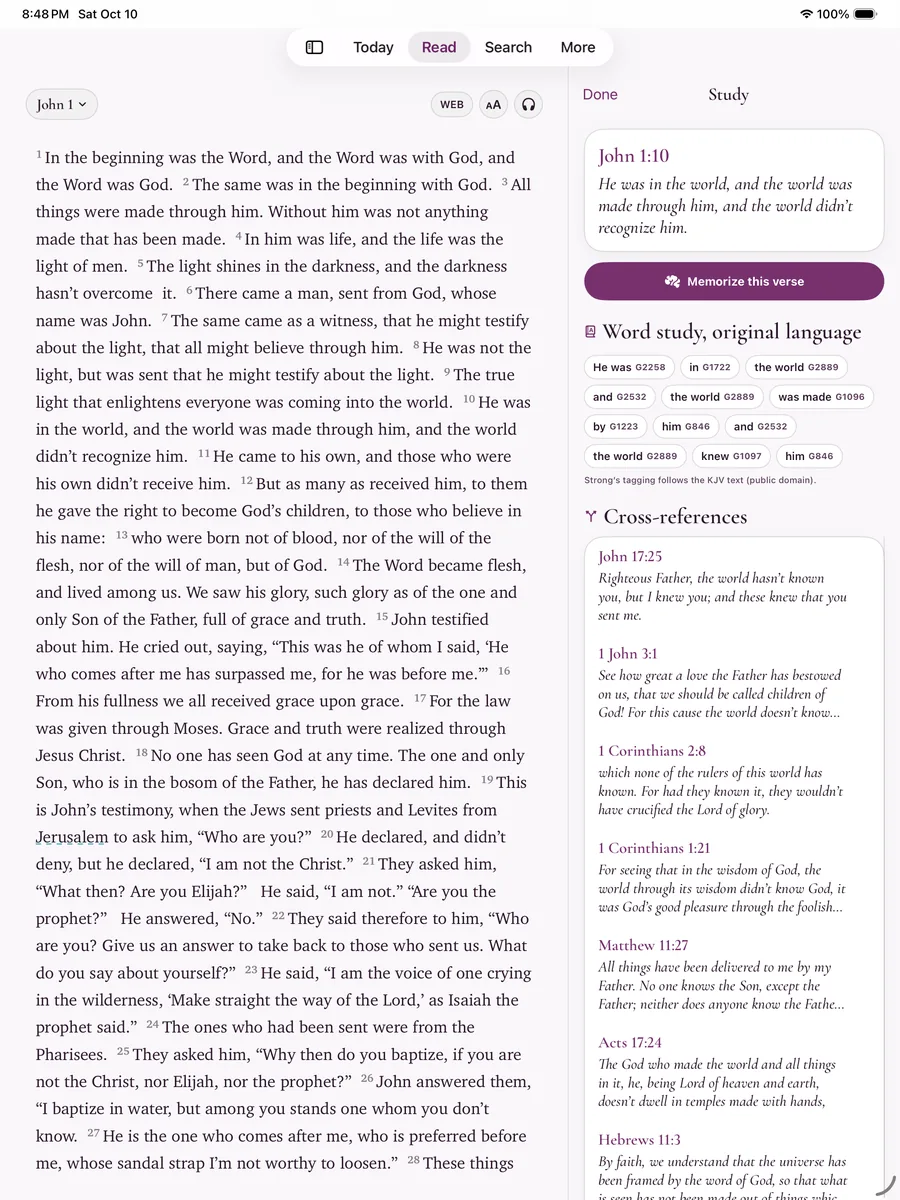
Tap a verse and choose Study. On iPad it opens as a column next to the chapter: the verse, a button to memorize it, a word study with the original Hebrew or Greek behind each English word (Strong's numbers, keyed to the KJV), and cross-references to related passages. Tap another verse and the column updates.
Press play and the player docks under the text instead of covering it. The verse being read is highlighted and the page follows the narrator, so you can read along. Swipe the player down to tuck it into the mini player.
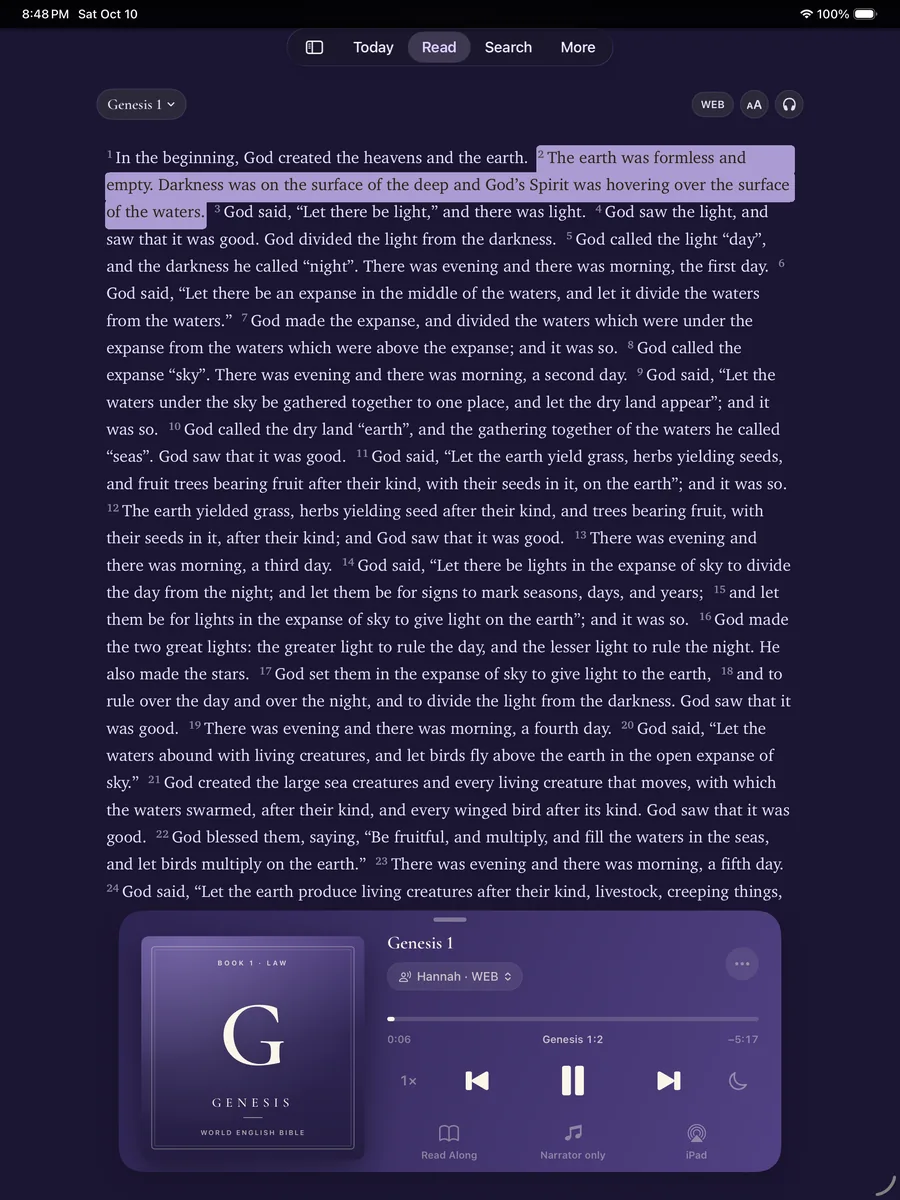
Hannah narrates every chapter of the KJV, WEB, and ASV for free, plus the Bible in Basic English. Plus adds seven more voices (Nathan, Evelyn, Elliot, Grace, Michael, Emma, and George) and Immersive Audio, which puts music and the sounds of the scene under the narrator. AirPlay sends it to a speaker or TV, and audio keeps playing with the screen off.
Keyboard shortcuts
With a Magic Keyboard or any Bluetooth keyboard, the menu bar has Go, Listen, and Text menus, and each command has a shortcut:
| Shortcut | What it does |
|---|---|
| ⌘ [ / ⌘ ] | Previous or next chapter |
| ⌘ G | Go to a passage |
| ⌘ P | Play or pause |
| ⇧ ⌘ P | Show the player |
| ⌘ + / ⌘ − | Larger or smaller text |
| ⌘ 1 to 4 | Today, Read, Search, More |
Today and reading plans, two columns wide
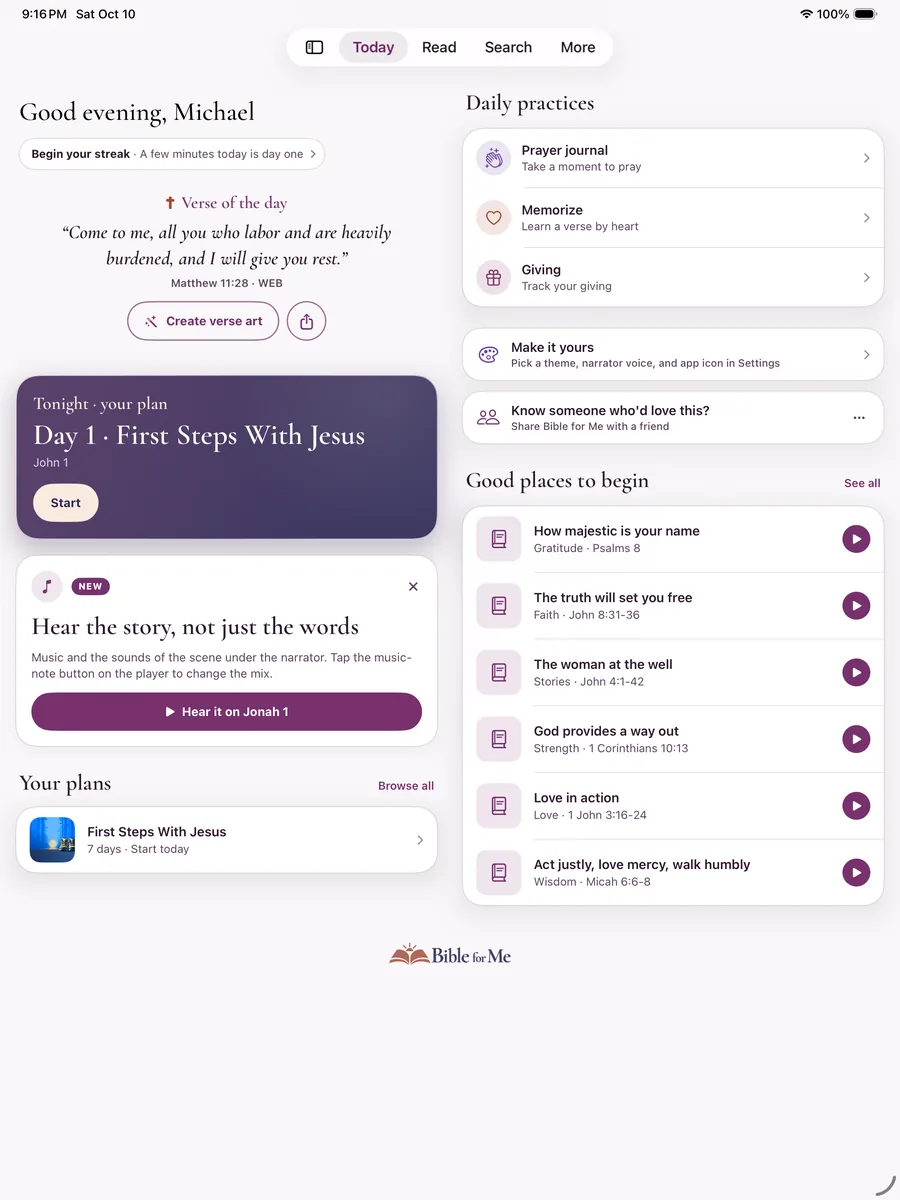
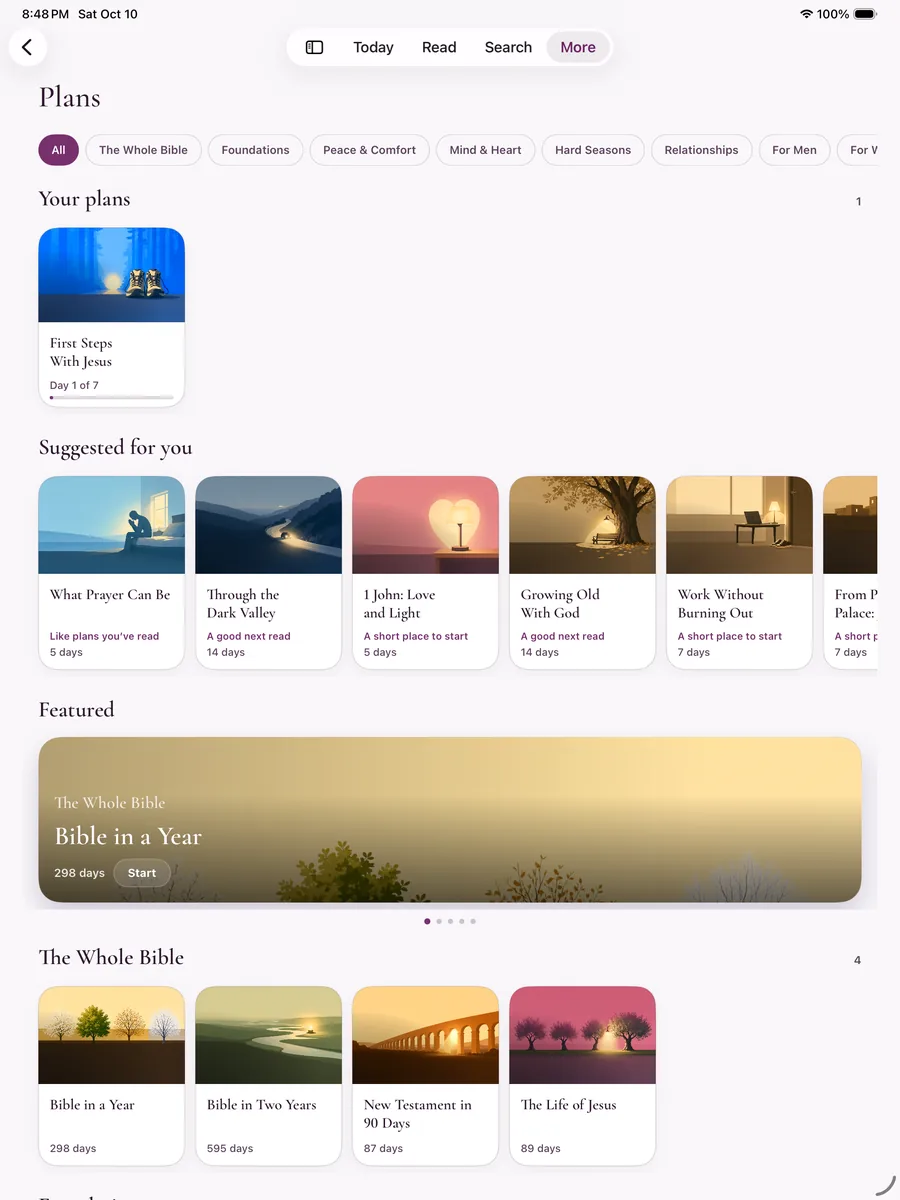
Today puts your greeting, verse of the day, and today's plan reading in one column and your daily practices and suggested passages in the other. The reading plan library, Settings, Memorize, and your reading progress use the width the same way. There are more than 100 plans with daily devotionals, from three-day studies to the whole Bible in a year.
Everything else from iPhone
- Offline listening. Download a book once and it plays with no Wi-Fi.
- 38 translations in 27 languages, including the KJV, WEB, and ASV with audio.
- Highlights, notes, and a prayer journal, backed up to your own iCloud.
- Siri. Ask Siri to play a book, pick up where you left off, or open a chapter.
- No account and no ads.
One app for iPhone, iPhone Duo, and iPad
The same 1.7 update added support for iPhone Duo, whose inner display uses the same wide layouts as iPad. It's one universal app: download it free on each device, and a Plus subscription works on every device signed in to your Apple Account. Plus is $7.99 a month or $39.99 a year with a 7-day free trial, and the Family plan is $59.99 a year for up to six people.
Questions
Is there an audio Bible app made for iPad?
Yes. Bible for Me runs natively on iPad since version 1.7.0, released on October 12, 2026. Every chapter is narrated, the reader keeps text in a comfortable column, landscape page mode shows a two-page spread, Study notes open beside the chapter, and the player docks under the text so you can read along.
Is Bible for Me free on iPad?
Yes. It's free to download, and reading, the two-page spread, the Hannah narrator, reading plans, devotionals, and streaks are free with no account. Bible for Me Plus is optional and adds seven more narrators, Immersive Audio, ten more themes, the sleep timer, and other extras.
Do I need a separate subscription for iPad?
No. Bible for Me is one universal app for iPhone, iPhone Duo, and iPad. A Plus subscription works on every device signed in to the same Apple Account, and the Family plan covers up to six people.
Does Bible for Me support keyboard shortcuts on iPad?
Yes. With a keyboard attached, Command-[ and Command-] move between chapters, Command-G opens Go to Passage, Command-P plays or pauses, Shift-Command-P shows the player, Command-plus and Command-minus change the text size, and Command-1 to Command-4 switch between Today, Read, Search, and More. They're also listed in the menu bar under Go, Listen, and Text.
Does it work in portrait and landscape on iPad?
Yes. Bible for Me works in any orientation on iPad. In landscape, page mode opens the chapter as a two-page spread. In portrait, you get a single page with a comfortable line length.
Can I listen to the Bible offline on iPad?
Yes. Narration downloads a book at a time the first time you play it, or all at once from Settings, and then plays with no connection. The KJV, WEB, ASV, and Bible in Basic English text are built into the app.
Which iPads can run Bible for Me?
Any iPad that runs iPadOS 18 or later.