 Bible for Me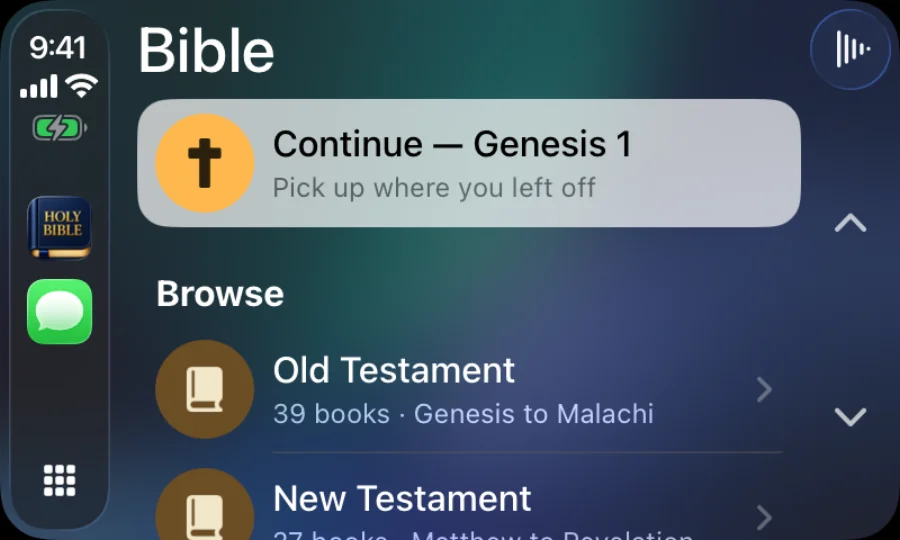
Most Bible apps treat the car as an afterthought: you start playback on your phone, then hope the audio keeps going through Bluetooth. Bible for Me is a native CarPlay audio app. It shows up next to Music and Podcasts, and everything you need to listen is on the car's screen.
What you can do from the car screen
- Continue. One tap resumes the chapter you were on, whether you were listening in the car or reading on the couch last night.
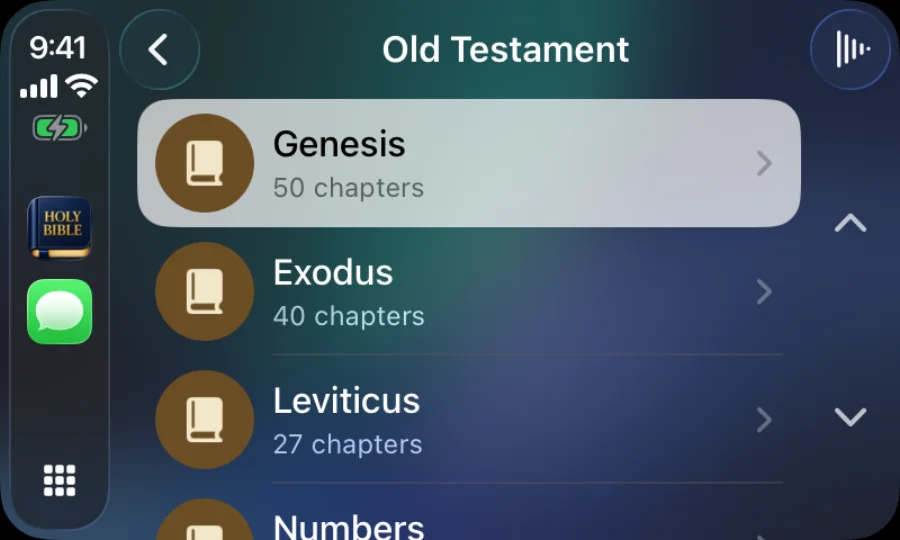
- Browse. Old Testament and New Testament, then books, then chapters. The lists are big and simple, designed to be glanced at, not studied.
- Now Playing. Play, pause, skip forward or back a chapter, and change the narration speed. Album art shows the book you're in, and the next chapter starts automatically.
- Steering wheel and Siri. Standard media controls work as you'd expect. "Hey Siri, pause" and "next" do what they say, and you can ask Siri to play a book or pick up where you left off.
Setting it up
- Install Bible for Me on your iPhone and open it once.
- Connect your phone to your car the way you normally do, with a cable or wireless CarPlay.
- Bible for Me appears on the CarPlay home screen. If you have many apps, swipe to the second page or use the app grid.
- Tap Continue or pick a book. That's it.
Not seeing the app? On your iPhone, open Settings › General › CarPlay, tap your car, and make sure Bible for Me is turned on. Every car handles app lists a little differently.
It works without signal
Narration downloads to your phone the first time you play a chapter of a book, and then plays offline. A long drive through the mountains, a tunnel, a rural stretch with one bar: none of it interrupts the reading. If you want to be sure a book is ready before a trip, play a few seconds of it on Wi-Fi first. More on offline listening.
Voices and translations
Narration in the car uses the same natural voices as the app. Hannah is free. Plus adds Nathan, Evelyn, Elliot, Grace, Michael, Emma, and George, and they all work in CarPlay too, along with Immersive Audio: a music note button on the Now Playing screen lets you pick Narrator only, Music only, Balanced, or Cinematic. The audio translations are the World English Bible, King James Version, American Standard Version, and Bible in Basic English, so you can listen to the KJV on the way to work if that's the text you know.
A commute-sized habit
Twenty minutes each way is roughly two or three chapters. At that pace you'll hear the whole New Testament in about six weeks of commuting, and the whole Bible in a little under a year. If you're following a reading plan, the day's chapters are one tap away on Today when you get out of the car, and listening in the car counts toward your streak.
Why CarPlay is free
Some audio Bible apps keep CarPlay, or the narration itself, behind a subscription. We don't. Listening to Scripture on the way to work shouldn't cost anything, so CarPlay with the Hannah narrator is part of the free app, with no trial and no account. Plus exists for people who want the extra voices, Immersive Audio, themes, and tools, and it's optional.
Questions
Is there a Bible app that works with CarPlay?
Yes. Bible for Me is a free audio Bible app for iPhone with a native CarPlay app. It appears on your car's screen automatically once the app is installed.
Do I need to pay for CarPlay?
No. CarPlay is included in the free version with the Hannah narrator. Plus adds seven more voices and Immersive Audio.
Does it work with Android Auto?
Not yet. Bible for Me is currently iPhone only.
Does the audio keep playing when I get out of the car?
Yes. Playback hands off to your phone, and you can keep listening with AirPods or the speaker. Pause it from the Lock Screen whenever you like.